Build Build Studio

web / commerce / systems
built across markets

Back to Blog

Headless

Headless commerce webhook reliability QA checklist

Use this practical QA checklist to test webhook signatures, retries, idempotency, queues, monitoring, and reconciliation before a headless commerce launch.

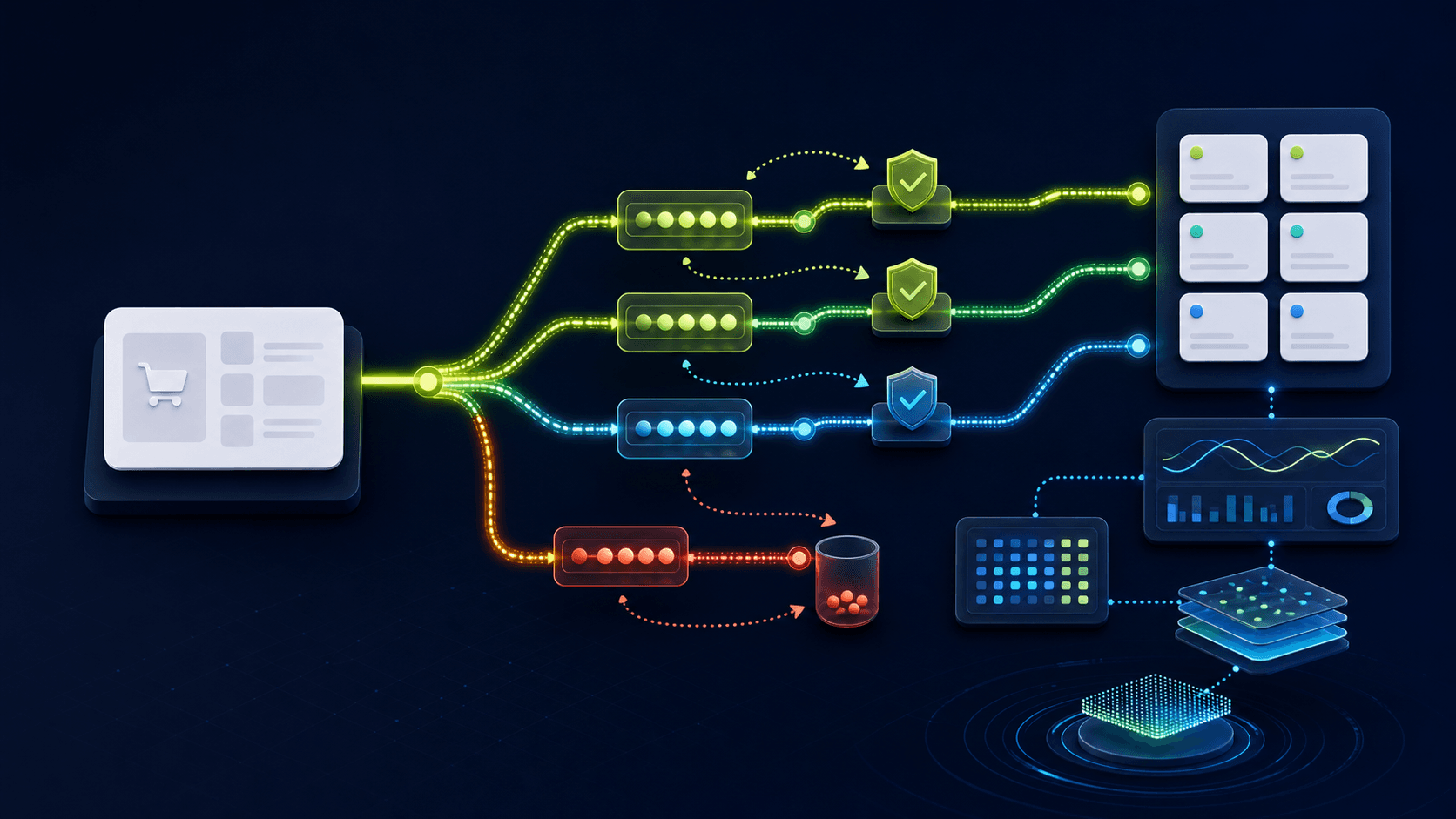
Abstract headless commerce event workflow with branching delivery paths, retry loops, verification gates, a failed-event queue, and monitoring panels on a dark navy background.

Integration reliability

Webhook QA + recovery plan

Published

Jul 17, 2026

Read time

10 min read

Topic

Headless Commerce / Webhooks / QA / Maintenance / Shopify

01

Why a successful webhook response is not enough

A webhook endpoint can return 200 and still lose an order, apply inventory twice, overwrite newer customer data, or leave a product stale. The HTTP response only proves that one request reached one endpoint. It does not prove that the business event was authenticated, stored, processed, and reconciled correctly.

This checklist is for Shopify and headless commerce teams connecting a storefront, commerce platform, CMS, ERP, OMS, warehouse, search index, CRM, or analytics system. Use it before launch, after an integration change, and whenever an incident suggests that two systems disagree.

  • List the events that affect revenue, availability, fulfillment, customer access, and search visibility.
  • Separate transport success from processing success and downstream business success.
  • Assign an owner for the producer, endpoint, queue, consumer, and reconciliation job.
  • Define acceptable delay and data-loss tolerance for each event type.

02

Step 1: Build an event contract and ownership matrix

Start with a table, not code. For each event, record the producer, source-of-truth object, event name and version, required fields, ordering rule, destination, expected volume, timeout, and recovery path. This prevents two systems from both assuming they own the same field.

Include creation, update, cancellation, deletion, refund, fulfillment, inventory, price, publication, and customer-consent events. Mark which changes can be merged and which must be processed in order. A product description update may tolerate delay; an order cancellation usually needs tighter handling.

  • Use stable event IDs and object IDs; do not deduplicate from timestamps or payload hashes alone.
  • Document schema versions and how consumers behave when they receive an unknown field or version.
  • Record whether the payload is a full snapshot, a partial update, or only a notification to refetch.
  • Define the source of truth for order, inventory, price, customer, fulfillment, and publication state.
  • Add sample payloads with sensitive values removed and edge cases clearly labeled.

03

Step 2: Authenticate requests and control replay risk

Verify every webhook before parsing it into a business action. HMAC signatures normally require the original raw request body; parsing and serializing JSON first can change whitespace or ordering and cause incorrect verification. Compare signatures with a timing-safe function and reject stale or malformed requests.

Signature verification does not prevent a valid request from being replayed. Store the event ID, producer, received time, and verification result before processing. Set a retention window that covers the provider's retry schedule and your own manual replay process.

  • Read the signature from the documented header and verify against the exact raw bytes.
  • Keep current and previous secrets active during a controlled rotation window.
  • Reject unsupported methods, content types, oversized bodies, invalid timestamps, and bad signatures.
  • Never log full customer, payment, token, or authentication payloads.
  • Return generic failure responses while recording a private correlation ID for investigation.

04

Step 3: Make processing idempotent and order-aware

Commerce providers retry events, networks duplicate requests, and operators replay failures. The same event must be safe to receive more than once. Create a durable processing record keyed by producer and event ID, then guard the business mutation and processed state inside one transaction where possible.

Idempotency also applies to downstream actions. Sending an email, issuing a refund, reserving stock, creating a shipment, or indexing a product twice can have real cost. Use an outbox or action key so a retried handler does not repeat an irreversible side effect.

  • Test the same valid event 2, 5, and 20 times and confirm one business outcome.
  • Test events delivered out of order and compare version, sequence, or source updated time.
  • Prevent an older update from overwriting a newer state unless the domain explicitly permits it.
  • Use atomic writes, unique constraints, or compare-and-swap rules instead of in-memory flags.
  • Record skipped duplicates and stale events as expected outcomes, not invisible successes.

05

Step 4: Acknowledge quickly, queue work, and retry safely

The public endpoint should authenticate, validate the envelope, persist the event, enqueue work, and respond within the provider's timeout. Slow API calls, image processing, search indexing, email, and ERP updates belong in background workers. This reduces provider retries and keeps traffic spikes from exhausting the web server.

Classify failures before retrying. Rate limits, network timeouts, and temporary upstream errors may recover. Invalid schemas, missing required mappings, forbidden requests, and deleted destination records often need a dead-letter path or human decision instead of repeated requests.

  • Use exponential backoff with jitter and a documented maximum attempt count.
  • Respect provider rate-limit headers and apply per-destination concurrency limits.
  • Store attempt count, next attempt time, last error class, and correlation ID.
  • Send exhausted events to a dead-letter queue with enough context to diagnose and replay them.
  • Test queue backlog behavior at 2x and 10x normal event volume.

06

Step 5: Monitor the whole delivery path

Monitor business freshness, not only endpoint uptime. A healthy endpoint with a stalled worker can hide hours of missing product or order updates. Dashboards should show received, verified, rejected, queued, processed, retried, dead-lettered, and reconciled counts by event type and destination.

Choose alert thresholds from business impact. A single failed newsletter event may wait; a growing order queue or stale inventory feed needs fast escalation. Alerts should link to the runbook and show the earliest affected event, backlog age, scope, and safe recovery action.

  • Track p50, p95, and maximum time from source event to confirmed downstream state.
  • Alert on queue age, retry rate, signature failures, dead-letter growth, and reconciliation drift.
  • Sample successful events end to end so silent mapping failures become visible.
  • Keep logs structured around event ID, object ID, destination, attempt, and deployment version.
  • Review alerts after 7 and 30 days to remove noise without hiding real failure patterns.

07

Step 6: Reconcile against the source of truth

Webhooks are notifications, not a complete audit ledger. Add scheduled reconciliation that compares downstream records with the authoritative system. The job should detect missing objects, stale versions, conflicting totals, orphaned records, and events that were accepted but never produced the expected state.

Start with revenue and availability paths: orders, refunds, fulfillment, inventory, prices, publication status, and customer access. Define whether the repair is automatic, queued for approval, or reported only. Never let a reconciliation job overwrite data until ownership rules are explicit.

  • Run a small frequent check for recent changes and a broader periodic backfill.
  • Compare counts, IDs, versions, totals, timestamps, and state transitions—not only row existence.
  • Record repairs as new auditable actions with their own idempotency keys.
  • Test reconciliation with intentionally dropped, duplicated, delayed, and corrupted events.
  • Publish a drift report with severity, owner, repair status, and affected customers or orders.

08

Launch-day QA and recovery runbook

Before launch, run a controlled scenario matrix in the production-like environment. Cover order creation and cancellation, refund, fulfillment, inventory movement, price change, product publication, customer update, duplicate delivery, invalid signature, delayed event, provider outage, worker outage, and replay from the dead-letter queue.

Keep a short runbook beside the dashboard. It should explain how to pause consumers without losing intake, drain a backlog, rotate a secret, disable a faulty destination, replay a bounded event range, reconcile affected objects, and communicate business impact. Practice one recovery before real traffic depends on it.

  • Confirm production webhook URLs, secret versions, event subscriptions, queue names, and access controls.
  • Save expected results and evidence for every launch scenario.
  • Verify that replaying a failed batch does not duplicate emails, refunds, stock changes, or shipments.
  • Assign on-call ownership and escalation contacts for the first 72 hours.
  • Review event latency, failures, backlog, and reconciliation drift daily during the first week.

What reliable commerce webhooks need before launch

  • 01Define which system owns every event, field, delivery state, and recovery decision.
  • 02Authenticate the raw request, deduplicate by event identity, and make handlers idempotent.
  • 03Acknowledge quickly, process asynchronously, and retry only failures that can recover.
  • 04Keep failed events observable and replayable without creating duplicate business actions.
  • 05Reconcile orders, inventory, prices, customers, and fulfillment against the source of truth.

Keep reading

Playbook / 10 min read

Headless commerce inventory and price sync QA checklist before launch

Stale stock and wrong prices are not just operations issues. Use this headless commerce inventory sync QA checklist before product data reaches the storefront, cart, checkout, and feeds.

Playbook / 11 min read

Headless commerce cache and preview QA checklist before launch

Use this headless commerce cache QA checklist to test previews, webhooks, stale product data, revalidation, SEO metadata, and rollback paths before launch.

Playbook / 11 min read

Website regression incident runbook for post-launch support

Use this website regression incident runbook to triage live issues, protect SEO and revenue, decide when to roll back, and turn each fix into a prevention checklist.

Playbook / 8 min read

Website backup and restore QA checklist before maintenance work

A backup is only useful if the team can restore it. Use this website backup and restore QA checklist before theme updates, plugin work, redesign launches, or risky content migrations.

SEO / 9 min read

Website analytics QA checklist before launch

Before a redesign, Shopify build, WordPress launch, or B2B website update goes live, confirm analytics events, forms, campaign links, and search reporting with a real QA checklist.

Playbook / 11 min read

Headless commerce migration checklist before launch

A headless commerce launch succeeds when product data, CMS content, cart behavior, SEO rules, tracking, and support ownership are tested together before release.


Build a site your team can keep running

Strategy, design, development, SEO foundations, and launch support for brands growing across markets.

Start a projectContact@buildbuild.studio