
Digital experiences built for performance + scale
Back to Blog

Playbook

Headless commerce inventory and price sync QA checklist before launch

Stale stock and wrong prices are not just operations issues. Use this headless commerce inventory sync QA checklist before product data reaches the storefront, cart, checkout, and feeds.

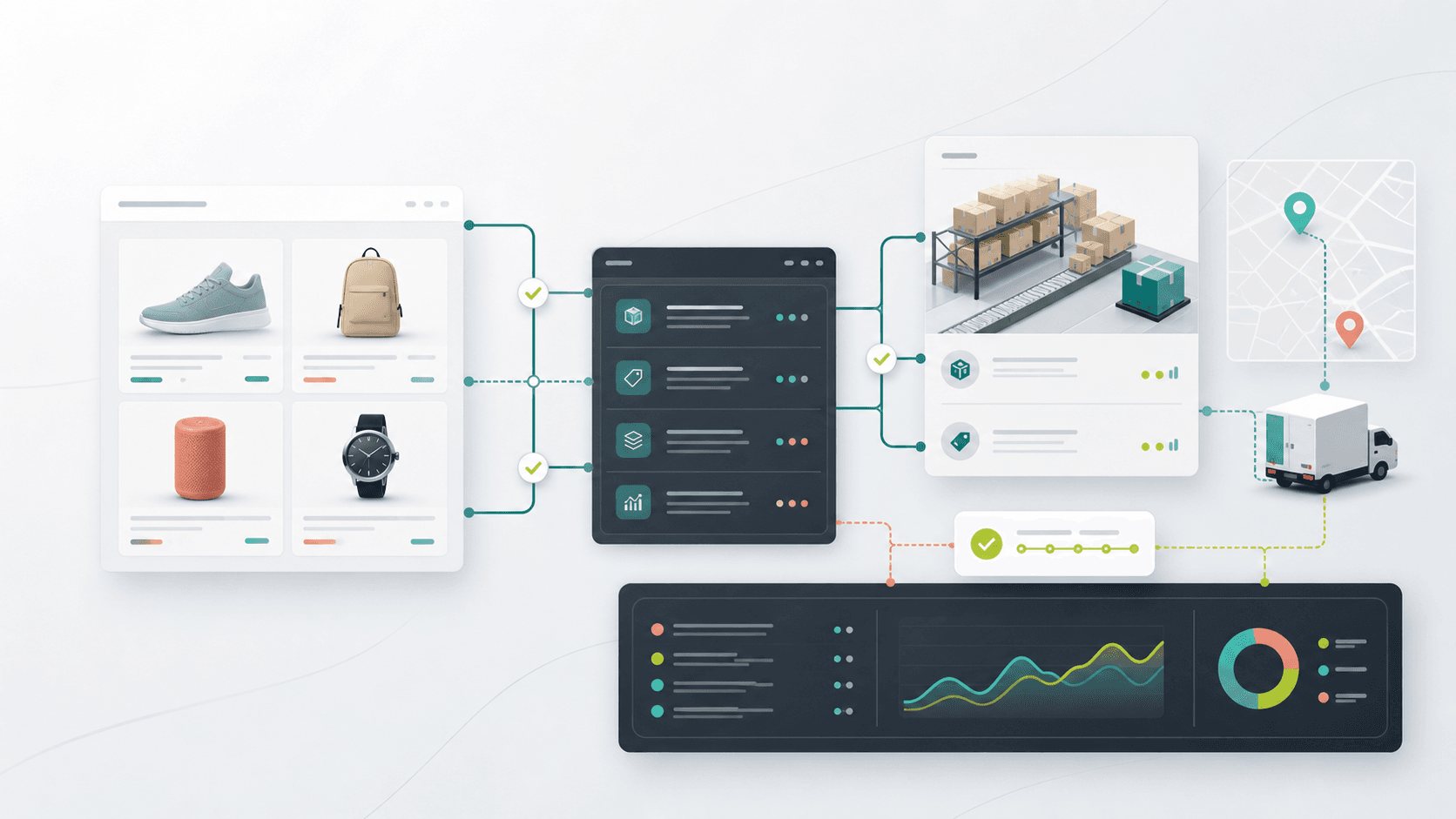
Abstract headless commerce inventory sync QA workflow with product cards, API panels, warehouse shelves, route lines, and status checks

Practical tool

Sync QA

Published

Jun 11, 2026

Read time

10 min read

Topic

Headless Commerce / Shopify / Inventory Sync / Operations / Playbook

01

Use this when product data moves through more than one system

Headless commerce inventory problems rarely start on the product page. They usually start when Shopify, an ERP, a warehouse system, a CMS, a pricing rule, and a front-end cache all believe they own part of the product truth.

A storefront can look correct in staging and still sell the wrong variant, show stale availability, hide an item that is actually in stock, or send a price mismatch into checkout. This checklist is for teams launching a headless Shopify storefront, connecting an inventory system, adding market-specific prices, or preparing a campaign where stock accuracy matters.

02

Step 1: Define the source of truth before testing

Do not begin QA by clicking around the storefront. First write down which system owns each field. Inventory quantity may come from a warehouse system, price from Shopify, bundle availability from an app, fulfillment rules from an OMS, and editorial product copy from a CMS.

The source-of-truth map should be simple enough for a merchandiser, developer, and support lead to read together. If nobody can explain which system wins when values conflict, launch QA will only find symptoms.

  • Map SKU, variant ID, barcode, product handle, option names, inventory policy, fulfillment location, price, compare-at price, market price, selling plan, and bundle rules.
  • Record the sync direction for each field: one-way, two-way, manual import, webhook, scheduled job, or API lookup at request time.
  • Name the owner for each system and the person who can approve a last-minute correction.
  • Document which fields are allowed to lag and which fields must be treated as revenue-critical.

03

Step 2: Build a messy product test matrix

A single test product will not expose the sync edge cases. Build a small matrix that represents how the catalog actually behaves. The point is not to test every SKU. The point is to test every type of product logic the storefront has to understand.

Use real products where possible, but create staging-only records when the catalog does not have the edge case yet. Save the matrix because it becomes useful again before campaigns, ERP changes, Shopify app changes, and front-end cache updates.

  • Simple product in stock, simple product out of stock, and product with low stock.
  • Product with multiple variants, one unavailable variant, renamed options, and a variant image mismatch.
  • Sale item with compare-at price, scheduled price change, market-specific price, and currency conversion.
  • Preorder, backorder, made-to-order, bundle, subscription, digital item, and product fulfilled from more than one location.
  • Product hidden from search, unpublished product, discontinued product, and product with missing optional data.

04

Step 3: Verify inventory across PDP, listing, cart, and checkout

Inventory QA has to follow the customer journey. A product card can say available while the product page blocks purchase. The PDP can allow a quantity that checkout rejects. A cart can keep an unavailable line item after the inventory changed in another tab.

Test each inventory state across the product detail page, collection cards, search results, recommendations, cart drawer, checkout handoff, order confirmation, and any product feed or campaign page that exposes availability.

  • Confirm out-of-stock labels, disabled buttons, variant selectors, low-stock messages, and notify-me states match the source system.
  • Try quantity changes, rapid add-to-cart clicks, multiple browser tabs, and a checkout started before inventory changes.
  • Check whether location-level inventory affects shipping promises, pickup options, and delivery messages.
  • Verify that unavailable variants do not disappear in a way that breaks deep links, SEO metadata, or user expectations.

05

Step 4: Test price, discount, and tax boundaries

Price sync needs its own QA path because the visible storefront price is not always the final commercial truth. Markets, currencies, customer groups, discounts, taxes, subscriptions, bundles, and checkout rules can all change what the customer sees.

Use the same product matrix to compare the product card, PDP, cart, checkout, order confirmation, analytics events, and structured data. If those surfaces disagree, decide whether the storefront display is wrong or the sync contract is incomplete.

  • Check regular price, compare-at price, sale price, volume price, subscription price, bundle price, and customer-specific price.
  • Test scheduled price changes before, during, and after the campaign window.
  • Compare prices across currencies, markets, tax-inclusive regions, and tax-exclusive regions.
  • Confirm discount codes, automatic discounts, gift-with-purchase logic, and checkout scripts do not create a price mismatch.
  • Inspect analytics and product schema so reported price and visible price stay aligned.

06

Step 5: Force delayed sync and failure states

A sync that works only when every webhook arrives on time is not ready for launch. Real systems retry jobs, drop payloads, hit rate limits, receive partial updates, and process changes in the wrong order.

Before launch, run controlled failure tests with the team watching the logs. The goal is to know what breaks, how visible it is, who receives the alert, and how the team recovers without guessing.

  • Delay or replay a product update and confirm the storefront eventually reaches the correct state.
  • Trigger a webhook failure, queue retry, rate limit, and manual resync if the infrastructure allows it.
  • Update price and inventory close together to catch ordering problems and stale cache windows.
  • Check whether failed jobs appear in logs, alerts, dashboards, or a dead-letter queue.
  • Document the manual correction path for one SKU, one product group, and a full catalog resync.

07

Step 6: Check SEO and merchandising side effects

Inventory and price bugs also affect SEO and merchandising. Product schema can show the wrong availability. Search results can promote unavailable items. Collection sorting can bury in-stock products. Product feeds can export stale prices to shopping channels.

After each important sync test, inspect both the rendered page and the data surfaces around it. This is where headless QA overlaps with technical SEO, paid media, and merchandising operations.

  • Confirm schema availability, price, currency, URL, image, and variant data match the live product state.
  • Check collection sorting, filters, search results, recommendations, and related products after inventory changes.
  • Verify canonical URLs and redirects when product handles or variant URLs change.
  • Confirm product feeds and campaign exports do not publish stale price or availability.
  • Decide how discontinued products should behave: keep live, redirect, show unavailable, remove from listings, or return a deliberate status.

08

Step 7: Prepare launch-week monitoring

The best sync QA still needs launch-week monitoring. Product data changes after launch, and the first real orders will reveal cases that staging did not have. Monitoring should focus on mismatch signals, not only server uptime.

Create a short list of critical products and workflows to check during the first 24 hours. Include best sellers, sale items, low-stock items, multi-location products, bundles, subscriptions, and any product tied to paid traffic.

  • Monitor API errors, webhook failures, queue depth, cache revalidation failures, 404s, checkout rejects, and support tickets mentioning stock or price.
  • Compare a sample of storefront values against the source systems at scheduled intervals.
  • Keep manual cache purge, manual product resync, rollback, and incident owner details in one place.
  • Give support a script for price mismatch, oversold product, out-of-stock checkout, and delayed fulfillment questions.

09

What to hand off after sync QA

A headless commerce handoff should include the source-of-truth map, product test matrix, sync failure tests, monitoring links, manual resync steps, cache purge steps, launch owner list, and known exceptions. Without that packet, the store may launch successfully but become hard to operate the first time data changes.

The practical goal is simple: the team should be able to answer why a price or stock value is wrong, where the correct value lives, how long the sync should take, and what to do when the storefront does not update.

Inventory sync QA checklist

  • 01Define the source of truth for SKU, variant, price, inventory, fulfillment, bundle, and market data before storefront QA begins.
  • 02Build a messy product matrix that includes variants, low stock, sale pricing, markets, bundles, subscriptions, preorder, and discontinued products.
  • 03Verify inventory across product cards, PDPs, cart, checkout, order confirmation, search, recommendations, and feeds.
  • 04Force delayed sync, webhook failure, retry, rate limit, stale cache, and manual resync scenarios before launch.
  • 05Monitor mismatch signals during launch week, not only uptime.

Keep reading

Now booking for Q2 2026

Start a project

Tell us your goal, timeline, and budget. We'll reply within 2 business days with the best next step.

I'm Max, founder of Build Build Studio. I work with a small network of trusted designers, developers, and specialists, keeping senior attention and direct communication close to every project.
Mo – Fr: 9AM–5PMGMT+8 local time

Project communication

Mandarin / ChineseNativeCantoneseNativeEnglishWorking proficiency

Formal proposals and pitch work are scoped as paid discovery.

Start a project