Build Build Studio

web / commerce / systems
built across markets

Back to Blog

Playbook

WordPress PHP upgrade QA checklist for maintenance teams

Use this staging, compatibility, rollback, and SEO QA checklist to upgrade WordPress PHP without turning routine maintenance into a production incident.

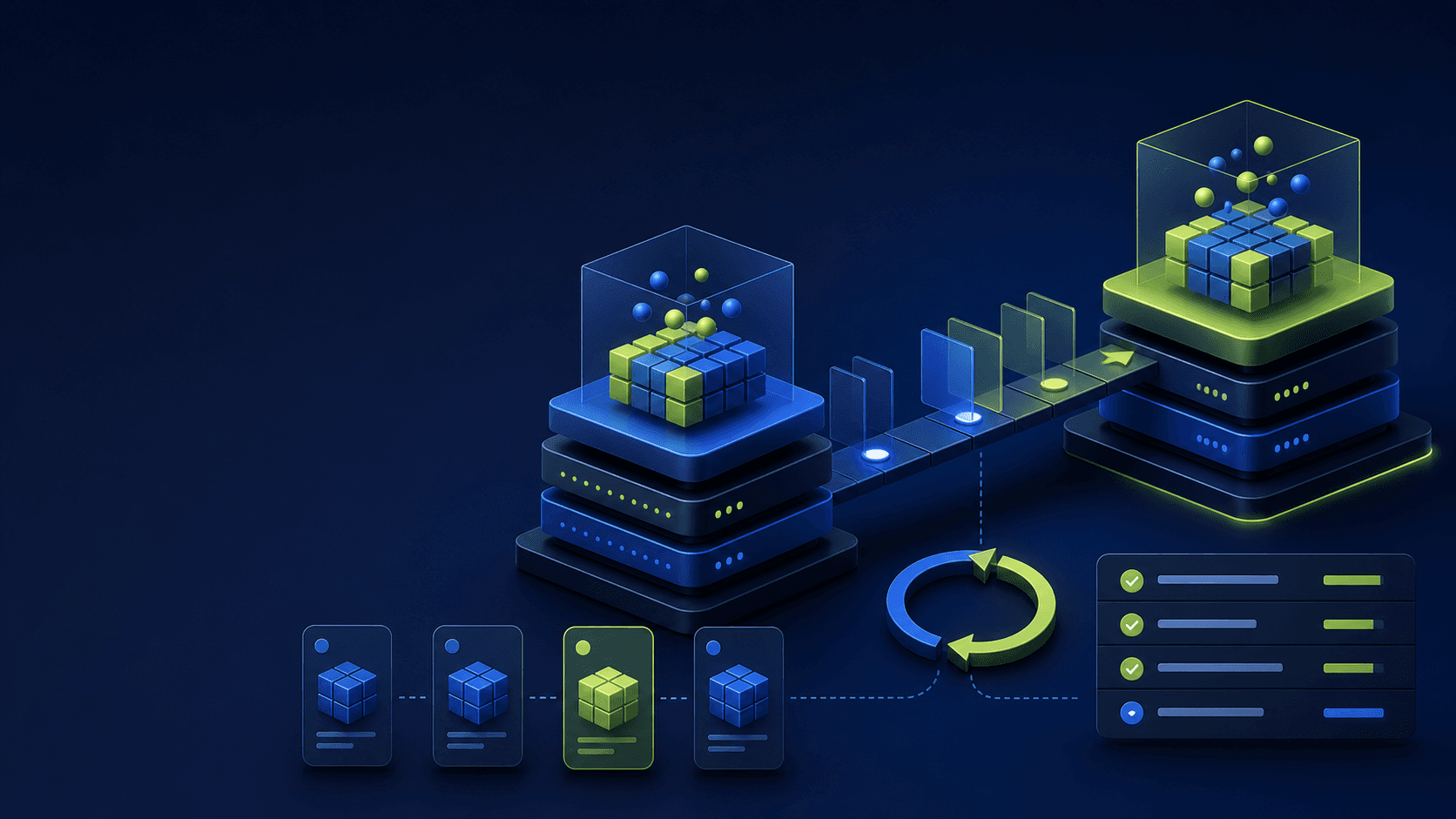
Abstract WordPress PHP upgrade workflow with stacked runtime layers, staging and production platforms, rollback arrows, backup cards, and geometric QA indicators on a dark navy background.

Maintenance QA

Safer PHP upgrades + tested rollback

Published

Jul 19, 2026

Read time

12 min read

Topic

WordPress / PHP Upgrade / Website Maintenance / Technical SEO / QA

01

Treat the PHP upgrade as an application release

A PHP version change can alter type handling, deprecated functions, error reporting, extensions, memory behavior, and the way WordPress plugins communicate with external systems. The admin dashboard may load while checkout, forms, search, image processing, scheduled publishing, or a webhook silently fails.

Open a release ticket before touching production. Record the current and target PHP versions, hosting environment, business-critical journeys, expected maintenance window, technical owner, QA owner, rollback decision maker, and the evidence required for approval.

  • Confirm the target PHP version is supported by the host, current WordPress core, and every critical plugin vendor.
  • List web, worker, cron, CLI, and staging runtimes; they may not share the same PHP setting.
  • Define the user journeys and SEO templates that must pass before release.
  • Freeze unrelated theme, plugin, content-model, DNS, and caching changes during the upgrade window.

02

Build a compatibility inventory before staging

Start with evidence from the live stack, not assumptions from a plugin list. Export active and must-use plugins, theme and child-theme versions, PHP extensions, WordPress constants, object cache, CDN rules, scheduled events, payment methods, form destinations, search integrations, and deployment hooks.

Run automated compatibility tools as a discovery aid, then inspect custom code manually. Static scanners can miss reflection, dynamic hooks, serialized data, vendor libraries, and code that only executes for a specific role, locale, payment method, or scheduled task.

  • Search custom themes, plugins, and snippets for deprecated PHP APIs, dynamic properties, loose comparisons, and changed argument behavior.
  • Verify required extensions such as mbstring, intl, curl, imagick, zip, and database drivers on the target runtime.
  • Classify each dependency as compatible, update required, replace, custom patch, or retire.
  • Create a risk register for abandoned plugins and code without an accountable maintainer.

03

Prepare production-like staging and a recoverable backup

A stale staging site gives false confidence. Refresh it close to the test window, redact sensitive data, preserve representative orders and content shapes, and match production PHP extensions, database version, caching layers, filesystem permissions, and environment variables.

Take a coordinated database and filesystem backup before the rehearsal and again before production. A backup is not a rollback plan until someone restores it, verifies URLs and media, clears caches, and measures the recovery time.

  • Block staging from indexing and prevent it from sending real email, payment, CRM, analytics, or webhook traffic.
  • Confirm the backup contains uploads, custom code, configuration, database tables, redirects, and deployment metadata.
  • Restore the backup to an isolated location and test login, media, permalinks, and one critical transaction.
  • Record backup timestamps, storage location, encryption, retention, restore owner, and estimated recovery time.

04

Upgrade dependencies in a controlled order

Update WordPress core, themes, and plugins on staging using a documented sequence. Change one compatibility layer at a time when the stack is high risk, so logs and regression results can identify the change that introduced a failure.

Switch staging to the target PHP version only after prerequisites are ready. Clear opcode, page, object, CDN, and browser caches, restart relevant workers, and verify the web request, cron runner, and command line all report the intended runtime.

  • Capture version numbers and checksums before and after every dependency update.
  • Do not overwrite custom plugin or parent-theme edits without comparing them against source control.
  • Run database migrations once, inspect their output, and confirm repeated deployments will not rerun destructive work.
  • Keep debugging output out of rendered pages while sending warnings and fatal errors to a protected log destination.

05

Run role-based functional and editorial QA

Test as anonymous visitors, customers or members, editors, administrators, and integration users. Cover the homepage, key landing pages, search, forms, authentication, ecommerce or lead-generation paths, and any template driven by custom fields or custom post types.

Then test the work that happens away from page views: media upload and resizing, scheduled publishing, imports and exports, backups, queue workers, WP-Cron, real server cron, REST endpoints, webhooks, sitemap generation, and command-line maintenance tasks.

  • Submit every critical form and verify delivery, CRM creation, autoresponse rules, spam controls, and consent fields.
  • Create, edit, preview, schedule, publish, update, and unpublish representative content as an editor.
  • Test payment, tax, shipping, coupons, refunds, account email, and stock updates when ecommerce is present.
  • Compare PHP and application logs before and after each test for warnings, deprecations, timeouts, and fatal errors.

06

Protect technical SEO and performance output

A runtime upgrade can change rendered HTML through plugin failures, shortcode errors, missing extensions, cache fragmentation, or different image processing. Crawl staging and compare status codes, titles, headings, canonicals, robots directives, hreflang, structured data, internal links, redirects, pagination, and XML sitemaps with the approved baseline.

Measure performance with warm and cold caches. Compare server response time, cache hit rate, slow database queries, memory use, error rate, LCP, CLS, and INP on representative templates. A faster PHP benchmark is not useful if production caching or critical rendering regresses.

  • Diff server-rendered HTML for the homepage, service pages, blog posts, archives, product pages, and localized templates.
  • Confirm 404, redirect, canonical, noindex, sitemap, and robots.txt behavior survives cache clearing and deployment.
  • Validate schema markup and ensure PHP warnings never leak into HTML, JSON-LD, feeds, or API responses.
  • Save crawl and performance evidence with the exact staging build and PHP version tested.
07

Define deployment gates and rehearse rollback

Write objective go or no-go gates before the production window. Examples include zero fatal errors, all critical journeys passing, no unexpected crawl differences, acceptable response-time variance, successful cron execution, and a restore test within the agreed recovery target.

Rollback may mean switching the runtime version back, reverting dependency updates, restoring database and files, or all three. Rehearse the steps in staging, time them, and identify changes that are not backward compatible. A database migration can make a simple PHP toggle insufficient.

  • Name the person authorized to stop the release and the thresholds that trigger rollback.
  • Save exact hosting-panel, CLI, deployment, cache-purge, restore, and health-check steps in the runbook.
  • Confirm the previous PHP runtime remains available for the rollback period.
  • Prepare customer-support and stakeholder messages for maintenance, degraded service, rollback, and resolution.

08

Monitor production and close the maintenance record

After deployment, repeat a short smoke test before declaring success. Watch PHP fatal logs, application errors, 5xx responses, slow requests, cache hit rate, queue failures, cron completion, form or checkout conversion, and third-party webhook delivery. Compare against a normal baseline rather than looking only for obvious downtime.

Keep enhanced monitoring through at least one full business cycle and every important scheduled job. Record the final versions, evidence links, exceptions, rollback window, follow-up fixes, and the date when temporary logs or compatibility shims can be removed.

  • Check key URLs and APIs from outside the hosting network after caches and CDN edges have refreshed.
  • Review Search Console, crawl logs, sitemap fetches, 404s, and indexability signals for unexpected changes.
  • Verify backups, security scans, scheduled publishing, feeds, and overnight jobs complete on the target runtime.
  • Turn every accepted warning or temporary patch into an owned task with a deadline.

What a production-ready PHP upgrade must prove

  • 01Inventory hosting, WordPress core, themes, plugins, integrations, cron jobs, and command-line tasks before changing runtime versions.
  • 02Rehearse the exact upgrade on a production-like staging copy with fresh data and the same infrastructure controls.
  • 03Test revenue paths, editor workflows, SEO output, scheduled jobs, and performance—not only the homepage.
  • 04Define rollback triggers, owners, backups, and a timed recovery rehearsal before the maintenance window.
  • 05Monitor errors, crawlability, conversions, and Core Web Vitals after release with a written acceptance record.

Keep reading

Playbook / 10 min read

WordPress plugin update QA checklist for maintenance teams

Use this WordPress plugin update QA checklist to plan safe maintenance windows, test staging, protect SEO signals, verify forms and analytics, and roll back quickly when an update breaks production.

Playbook / 9 min read

WordPress staging deployment QA checklist before launch

A staging site is only useful if it proves what will happen in production. Use this checklist before pushing a WordPress redesign, theme update, or maintenance release live.

Playbook / 8 min read

Website backup and restore QA checklist before maintenance work

A backup is only useful if the team can restore it. Use this website backup and restore QA checklist before theme updates, plugin work, redesign launches, or risky content migrations.

Playbook / 11 min read

Website regression incident runbook for post-launch support

Use this website regression incident runbook to triage live issues, protect SEO and revenue, decide when to roll back, and turn each fix into a prevention checklist.

Playbook / 8 min read

Monthly website maintenance checklist for B2B and ecommerce sites

Use this monthly website maintenance checklist to review uptime, backups, forms, CMS updates, SEO health, analytics, and escalation rules before small issues become incidents.

SEO / 10 min read

Core Web Vitals QA checklist for redesigned websites

A redesigned website can look approved while LCP, INP, and CLS quietly regress. Use this Core Web Vitals QA checklist before launch and during the first month after release.

Build a site your team can keep running

Strategy, design, development, SEO foundations, and launch support for brands growing across markets.

Start a projectContact@buildbuild.studio