Digital experiences built for performance + scale
Back to Blog

Playbook

B2B pricing page decision framework for qualified leads

A B2B pricing page should reduce budget mismatch without making serious buyers feel blocked. Use this framework to decide what to publish, how to qualify leads, and what to QA before launch.

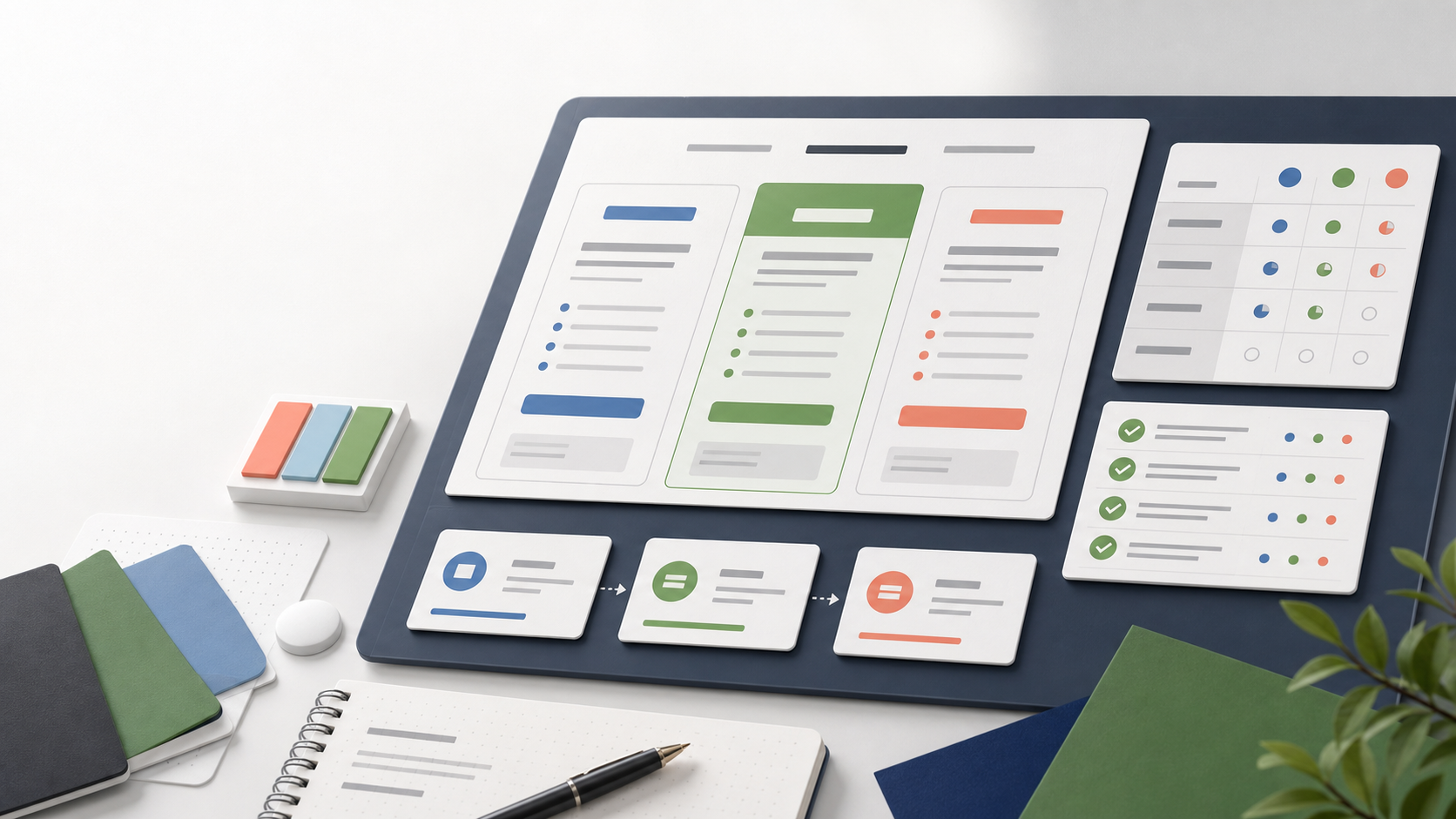
Abstract B2B pricing page planning workspace with pricing columns, decision matrix panels, and QA checklist cards

Decision tool

Pricing page

Published

May 23, 2026

Read time

11 min read

Topic

B2B / Pricing / Redesign / Technical SEO / Playbook

01

Use this before adding or hiding prices

A B2B pricing page is not only a sales page. It is a qualification system. The page should help serious buyers understand whether they are in the right budget range, while filtering out prospects who need a very different offer, timeline, or level of support.

The mistake is treating pricing as a yes-or-no question. Some businesses should publish clear packages. Some should show ranges. Some should publish a starting point and explain what changes the scope. Others should avoid exact numbers but still teach buyers how budget is shaped. The right answer depends on how the buyer compares vendors and how your team sells.

02

Step 1: Map how buyers already ask about budget

Before changing the website, collect real sales evidence. Review inquiry forms, discovery call notes, lost deals, proposal comments, and email questions. Look for the moments where budget uncertainty slows the conversation down or creates a mismatch.

A useful pricing page starts with these patterns. If buyers keep asking whether a redesign is a one-time project or a monthly engagement, the page needs a model explanation. If they ask why one vendor is cheaper, the page needs scope boundaries. If small companies keep booking calls they cannot afford, the page needs clearer budget cues before the form.

  • List the five most common pricing questions from qualified prospects.
  • List the three most common budget mismatches from unqualified inquiries.
  • Mark which questions can be answered publicly and which require discovery.
  • Check whether sales, leadership, and delivery teams agree on minimum viable project size.

03

Step 2: Pick the pricing model the page should support

Most B2B service websites do not need one perfect pricing format. They need a format that matches how predictable the work is. A fixed package works when the scope, timeline, inputs, and output are repeatable. A range works when the buyer can self-select by company size, page count, feature complexity, or support level. A starting point works when discovery matters but there is still a real minimum.

Avoid hiding everything behind a form unless that is truly necessary. If the site gives no pricing signal, the form becomes a filter for curiosity instead of qualified demand. That can inflate conversion rate while wasting sales time.

  • Published packages: best for repeatable audits, retainers, launches, or defined implementation offers.
  • Price ranges: best when scope varies but the buyer can understand the main cost drivers.
  • Starting at: best when every project needs discovery but the minimum budget is firm.
  • Qualification-only copy: best for complex enterprise work, but it still needs budget education.
  • Calculator or estimator: useful only when inputs are simple enough to keep accurate.

04

Step 3: Structure the page around decisions

The page should not read like a spreadsheet. Start by naming the buying situation, then show the pricing path that fits that situation. A good structure moves from context to comparison to qualification to action.

For a B2B website design or redesign service, the page might compare a website audit, a focused redesign sprint, a full website rebuild, and monthly maintenance support. Each option should explain who it is for, what is included, what is not included, what affects price, and what the next step looks like.

  • Hero: explain who the pricing page is for and what decision it helps buyers make.
  • Options: show packages, ranges, or starting points with clear scope boundaries.
  • Cost drivers: list the factors that move the final quote up or down.
  • Fit guidance: explain which option fits which buyer situation.
  • Proof: link to relevant case studies, service pages, and process details.
  • CTA: send the buyer to the right form, calendar, or brief workflow.

05

Step 4: Write qualification copy without sounding defensive

Pricing copy should qualify without making the buyer feel judged. Replace vague lines like custom pricing with specific guidance. Explain what discovery will determine, what the buyer should prepare, and which budgets are usually too small for the offer.

Good qualification copy protects both sides. It tells smaller buyers when a lighter service, template, or maintenance option may fit better. It also tells larger buyers that the team understands procurement, integrations, content migration, multilingual requirements, analytics, and long-term support.

  • Use plain language for what is included and excluded.
  • Name the budget drivers: page count, integrations, CMS complexity, content migration, language count, SEO risk, and approval process.
  • Avoid fake scarcity or vague premium wording.
  • Give buyers a practical next step if they are not ready for a full project.

06

Step 5: Connect pricing to forms and CRM routing

A pricing page only works if the next step carries the same qualification logic. If the page mentions budget ranges but the form never asks for budget, sales loses the context. If the page separates redesign, SEO, and maintenance paths but the CRM records every inquiry the same way, follow-up becomes slower.

Update the form fields, thank-you state, notification email, CRM source, and sales routing before launch. The goal is not to make the form long. The goal is to capture the few signals that determine whether a lead should get a quick consult, a detailed proposal path, a maintenance discussion, or a polite redirect.

  • Track the pricing page as a distinct source in analytics and CRM.
  • Ask budget in ranges when exact numbers are uncomfortable.
  • Ask timeline and decision stage, because pricing intent changes by urgency.
  • Route high-fit inquiries differently from early research inquiries.
  • Make the thank-you page confirm what happens next.

07

Step 6: Add SEO checks before launch

A B2B pricing page can rank for high-intent searches when it answers real comparison questions. The SEO target should be specific: B2B website pricing, website redesign cost, maintenance plan pricing, Shopify development pricing, or WordPress theme development cost may all need different pages or sections depending on the offer.

Keep the page useful instead of turning it into a keyword list. Use descriptive headings, internal links to service pages, case studies, process pages, and related checklists. Add a meta title and description that make the pricing promise clear. If the page includes FAQs, make sure the answers are visible in the page content and not only hidden in an accordion that nobody maintains.

  • Choose one primary search intent for the pricing page.
  • Link to the relevant B2B service page, case study page, lead form checklist, and analytics QA checklist.
  • Check title tags, meta description, canonical URL, Open Graph image, and sitemap inclusion.
  • Avoid thin pricing cards with no explanation of scope or fit.
  • If using FAQ schema, validate that the on-page answers match the structured data.

08

Step 7: QA the page like a revenue path

Do not approve the pricing page only by reviewing layout. Test the full path from search snippet to pricing comparison to form submission to sales notification. The page has to work on mobile, with long option names, translated copy, different currencies if relevant, and real analytics tracking.

Run the same QA after the page has been live for a few weeks. A pricing page can increase fewer but better inquiries, which is a win if sales time and proposal quality improve. Measure qualified lead rate, booked calls, proposal fit, close rate, and the reasons leads still drop out.

  • Submit test inquiries from every CTA and confirm CRM fields are populated.
  • Check mobile wrapping for pricing cards, comparison tables, and CTA labels.
  • Verify analytics events for pricing CTA clicks, form starts, form submissions, and booked calls.
  • Ask sales to tag leads as good fit, too early, too small, too complex, or wrong service.
  • Review the page after 30 days and adjust copy based on lead quality, not opinions alone.

Pricing decisions

  • 01Choose pricing visibility based on buyer maturity, scope repeatability, margin risk, and sales capacity.
  • 02Separate price education from lead qualification so the page answers budget questions before the form.
  • 03Use packages or ranges when scope is repeatable, and use starting points when discovery changes the final quote.
  • 04Connect pricing CTAs to form fields, CRM routing, analytics events, and sales follow-up rules.
  • 05Review lead quality after launch, not only page conversion rate.

Keep reading

Now booking for Q2 2026

Start a project

Tell us your goal, timeline, and budget. We'll reply within 2 business days with the best next step.

I'm Max, founder of Build Build Studio. I work with a small network of trusted designers, developers, and specialists, keeping senior attention and direct communication close to every project.
Mo – Fr: 9AM–5PMGMT+8 local time

Project communication

Mandarin / ChineseNativeCantoneseNativeEnglishWorking proficiency

Formal proposals and pitch work are scoped as paid discovery.

Start a project