Digital experiences built for performance + scale
Back to Blog

Playbook

B2B website lead form QA checklist before launch

A B2B lead form is not just a contact box. Use this launch QA checklist to test validation, analytics, CRM routing, spam controls, notifications, and follow-up states before qualified inquiries disappear.

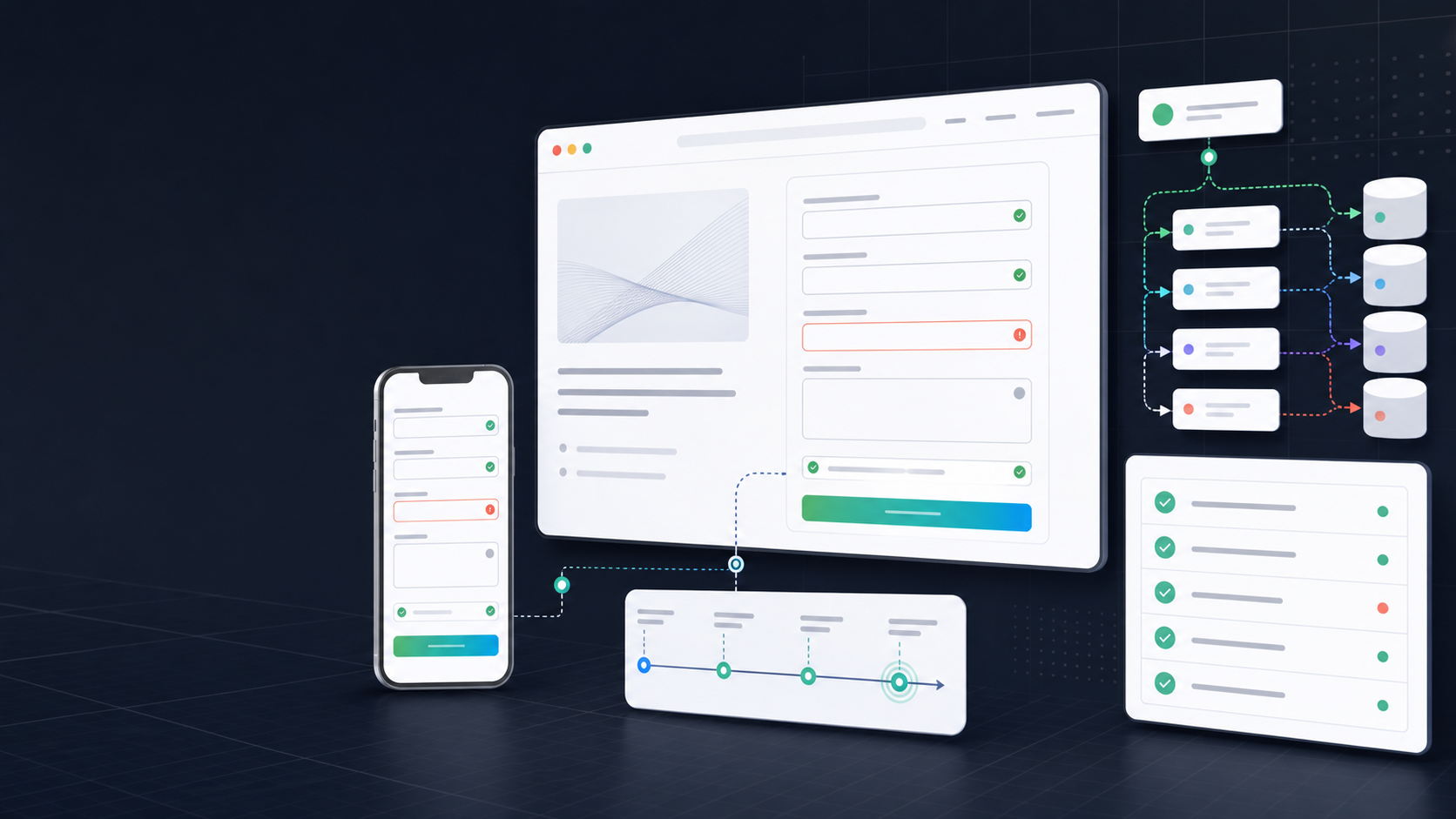
Abstract B2B lead form QA dashboard with desktop and mobile form states, validation checks, analytics markers, and CRM routing cards

Practical tool

Lead form QA

Published

May 19, 2026

Read time

10 min read

Topic

B2B / Technical SEO / Operations / Playbook

01

Use this before the redesigned B2B site goes live

A B2B lead form looks simple until it becomes the only path between a qualified buyer and the sales team. The design can be approved, the copy can be polished, and the page can rank, but the business still loses the inquiry if validation fails, attribution disappears, or the CRM route sends the lead to the wrong place.

This checklist is for teams launching a redesigned B2B website, service page, landing page, multilingual site, or technical SEO migration. Use it when staging content is close to final and before paid traffic, organic redirects, analytics events, and sales follow-up are treated as ready.

02

Step 1: Inventory every form and owner

Start by listing every lead capture path, not only the main contact page. Include service page forms, quote forms, demo requests, newsletter forms, gated content, embedded scheduling widgets, footer forms, pop-ups, partner inquiries, and any localized variants. A redesign often introduces duplicate forms that look similar but submit to different systems.

For each form, name the business owner, technical owner, CRM destination, notification channel, thank-you state, and expected follow-up action. If nobody owns a form after launch, it should not be treated as ready.

  • Record the URL, form name, locale, page template, destination system, and notification recipient.
  • Mark each form as revenue-critical, support-only, newsletter-only, or legacy.
  • Confirm who can update form fields, routing, and autoresponder copy after launch.

03

Step 2: Test fields with realistic B2B inputs

Do not test only with a personal email and one-word company name. B2B forms need to handle long company names, international phone numbers, work emails, procurement titles, long project descriptions, optional budget fields, file uploads, and translated labels. Use real examples that match the buyers the site is meant to attract.

Check required fields, optional fields, placeholder behavior, error messages, disabled states, loading states, and success states. The form should explain the problem clearly without erasing what the user already typed.

  • Test at least 8 to 12 realistic submissions across desktop and mobile.
  • Use long names, accented characters, non-US phone formats, and company emails with uncommon domains.
  • Confirm validation messages appear beside the right field and are readable on mobile.
  • Make sure failed validation does not clear completed fields or reset hidden attribution data.

04

Step 3: Check accessibility and mobile behavior

A lead form that is hard to complete on mobile is a conversion problem, not a minor UI issue. Every field needs a visible label, logical tab order, clear focus state, usable touch target, and keyboard type that matches the input. Error messages should be announced to assistive technology and remain visible after the field loses focus.

Mobile QA should include the real page layout, not only an isolated form component. Sticky headers, chat widgets, cookie banners, and embedded calendars can cover fields or submit buttons when the viewport is small.

  • Navigate the form with keyboard only and confirm focus never gets trapped.
  • Check input types for email, phone, URL, number, and textarea fields.
  • Test the form with cookie banners, chat widgets, and sticky navigation enabled.
  • Verify translated labels and button text wrap without covering fields or validation messages.

05

Step 4: Preserve attribution and analytics

B2B teams often discover after launch that leads are arriving but source data is missing. Before launch, test the full path from campaign URL to form submission to analytics event to CRM record. UTMs, click IDs, landing page URL, referrer, locale, form name, and consent state should survive the journey.

Analytics QA should confirm that conversion events fire once, use the correct event name, include useful parameters, and do not fire on failed validation. This matters for paid media, SEO reporting, CRM attribution, and post-launch troubleshooting.

  • Submit test leads with UTM source, medium, campaign, content, and term parameters.
  • Confirm gclid, fbclid, or other click IDs are not stripped before submission when they are used.
  • Check that thank-you pages or success states are not blocked from analytics measurement.
  • Make sure test submissions are labeled so sales and reporting teams can exclude them.

06

Step 5: Verify CRM routing and notifications

The most expensive lead form bug is usually downstream. A form can submit successfully and still fail because the CRM field mapping is wrong, the routing rule is outdated, the notification email lands in spam, or the lead is assigned to a former employee. QA has to include the systems after the website.

Create test leads for the main routing scenarios: region, service interest, company size, budget, language, partner type, and existing customer status. Then confirm the lead appears in the right pipeline, with the right owner, lifecycle stage, source, and follow-up task.

  • Verify every required CRM field receives the expected value and format.
  • Check email, Slack, Teams, or CRM notifications with real recipients, not only developer inboxes.
  • Confirm duplicate submissions merge or dedupe according to the sales team's rules.
  • Test failure handling so the team knows where submissions go if the CRM is temporarily unavailable.

07

Step 6: Balance spam protection with conversion

Spam controls should reduce junk without blocking real prospects. Test CAPTCHA, honeypot fields, rate limits, blocked domains, disposable email rules, and file upload restrictions against realistic buyer behavior. A rule that blocks free email addresses may make sense for one form and hurt another.

Also check what happens when spam protection fails. The user should receive a clear message, the system should log the failure, and the internal team should be able to distinguish a blocked bot from a real submission error.

  • Submit from normal business domains, regional domains, and long email addresses.
  • Check whether VPNs, privacy browsers, or strict cookie settings break the form.
  • Confirm rate limits do not block legitimate retests during a sales conversation.
  • Log spam-blocked attempts separately from validation errors and integration failures.

08

Step 7: Review thank-you states and follow-up

The lead experience does not end at the submit button. Review the thank-you page, inline success state, confirmation email, calendar prompt, downloadable asset, and sales handoff. The next step should match the user's intent. A quote request, demo request, and support inquiry should not all receive the same generic message.

This is also where trust gets reinforced. Confirm response time promises, privacy copy, legal links, phone numbers, and fallback contact details. If the form fails silently, the user needs another way to reach the team.

  • Check success states for every form type and locale.
  • Confirm autoresponder emails use the right sender, subject line, reply-to address, and language.
  • Test calendar embeds and downloadable assets after submission.
  • Make sure the sales team knows the expected response window, such as same day or within 24 hours.

09

Step 8: Monitor the first week after launch

Launch approval is not the end of lead form QA. During the first 7 days, monitor submissions, failed validations, CRM errors, spam volume, analytics events, source data, notification delivery, and response speed. Compare form conversion by template and traffic source instead of treating the whole website as one number.

Keep a small launch log with date, issue, affected form, owner, fix, and verification result. That log becomes useful later when the team asks whether a drop in qualified leads came from traffic quality, page content, form friction, tracking, or sales follow-up.

  • First 24 hours: verify submissions, notifications, analytics events, and CRM records.
  • First 3 days: review validation errors, device mix, spam controls, and top traffic sources.
  • First 7 days: compare lead volume, qualification quality, response time, and source attribution.
  • Keep one known-good test submission per form so future maintenance checks have a baseline.

QA checklist

  • 01Map every lead form, owner, destination, and post-submit state before launch QA starts.
  • 02Test validation, accessibility, consent, and mobile keyboards with realistic B2B inputs.
  • 03Preserve UTMs, click IDs, source fields, and conversion events through the full form flow.
  • 04Confirm CRM routing, notifications, deduplication, and sales follow-up before traffic goes live.
  • 05Monitor submissions, errors, spam, and response speed during the first 7 days after launch.

Keep reading

Now booking for Q2 2026

Start a project

Tell us your goal, timeline, and budget. We'll reply within 2 business days with the best next step.

I'm Max, founder of Build Build Studio. I work with a small network of trusted designers, developers, and specialists, keeping senior attention and direct communication close to every project.
Mo – Fr: 9AM–5PMGMT+8 local time

Project communication

Mandarin / ChineseNativeCantoneseNativeEnglishWorking proficiency

Formal proposals and pitch work are scoped as paid discovery.

Start a project